Connect your assistant
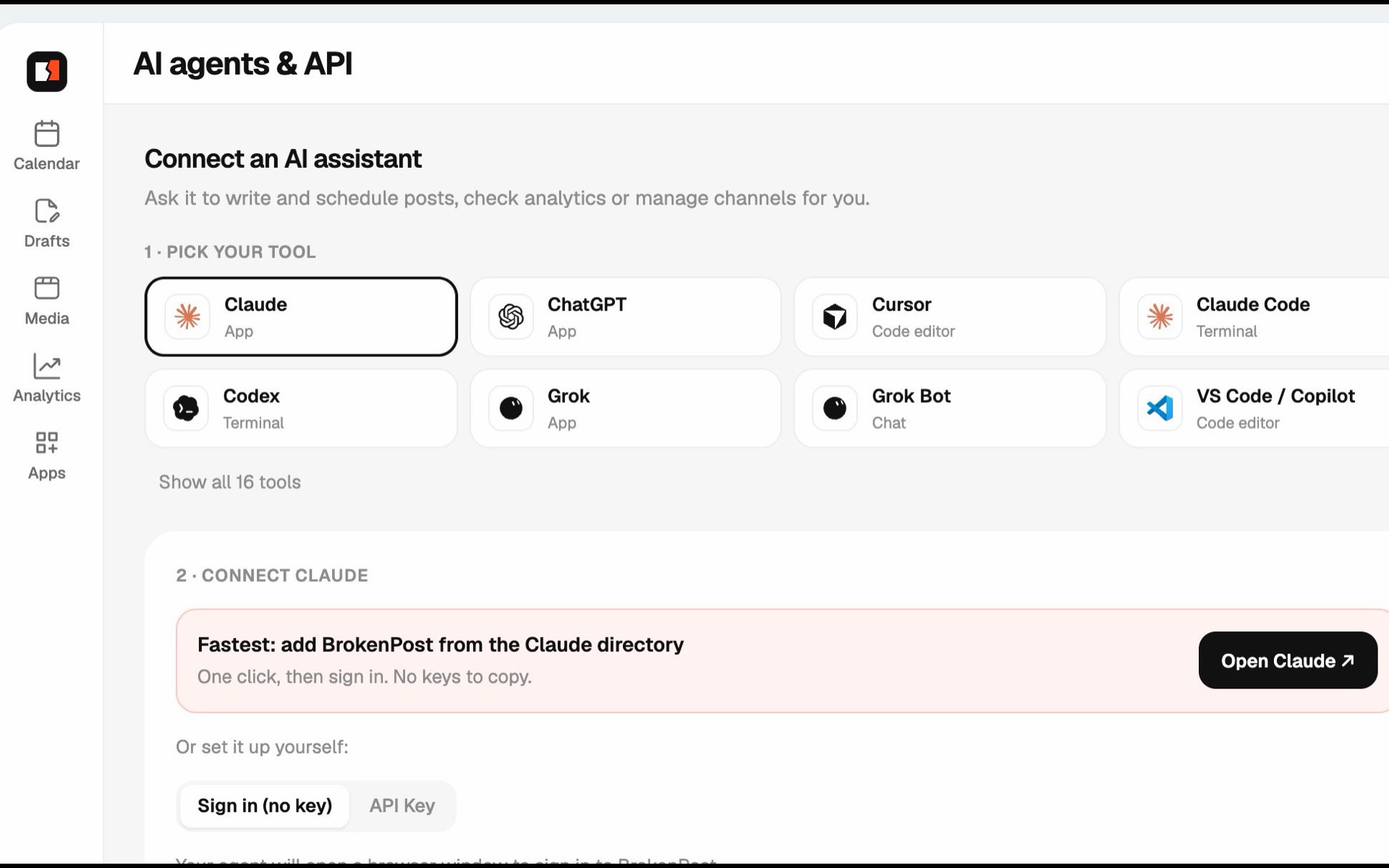
- 1
Click your avatar at the bottom left and open AI agents & API.
- 2
Under Pick your tool, click the assistant you use. Show all 16 tools lists the rest.
- 3
Follow the steps for it. For Claude and ChatGPT, click Open Claude (or ChatGPT) to add BrokenPost from its directory, then sign in.
- 4
Or set it up yourself: Sign in (no key) gives you a link to paste as a custom connector. API Key is for tools that need a key.
What to ask
- “Schedule a LinkedIn post for tomorrow 9am announcing our spring menu”
- “Which of my posts got the most views last week?”
- “Draft three X posts from this blog link and save them as drafts”
Step-by-step guides per assistant: ChatGPT, Claude, and what MCP is.
Questions people ask
Is connecting an AI free?
Yes, on every plan.
Can the AI post without me checking?
It can, but you can ask it to save drafts instead and check them in Drafts.