How to post a Story
- 1
On your feed, tap your profile picture with the blue + at the top left, or swipe right and choose Story.
- 2
Take a photo (tap) or video (hold), or swipe up to pick from your gallery.
- 3
Use the icons at the top: Aa for text, the sticker icon for stickers, the music note for a song, the pen to draw.
- 4
Tap Your story to share with everyone, or Close Friends for a smaller list.
Stickers that get replies
- Link: send people to a page. The only clickable link on Instagram outside your bio.
- Poll and quiz: one tap to answer, which tells Instagram people care.
- Question: collect questions, then answer them in the next Stories.
- Countdown: for a launch or event. Followers can tap to get a reminder.
- Mention and location: tag a person or place so they can share it.
Keep Stories with Highlights
Open your profile, tap New under your bio, pick Stories from your archive, name the Highlight and choose a cover. Good Highlights: menu, prices, reviews, how to order, FAQs.
Story size
| What | Spec |
|---|---|
| Size | 1080 × 1920 px, 9:16 |
| Safe area | Keep text away from the top and bottom 250 px |
| Video | Long videos are split into 60-second Stories |
| Lifetime | 24 hours, then archived |
Schedule Stories with BrokenPost
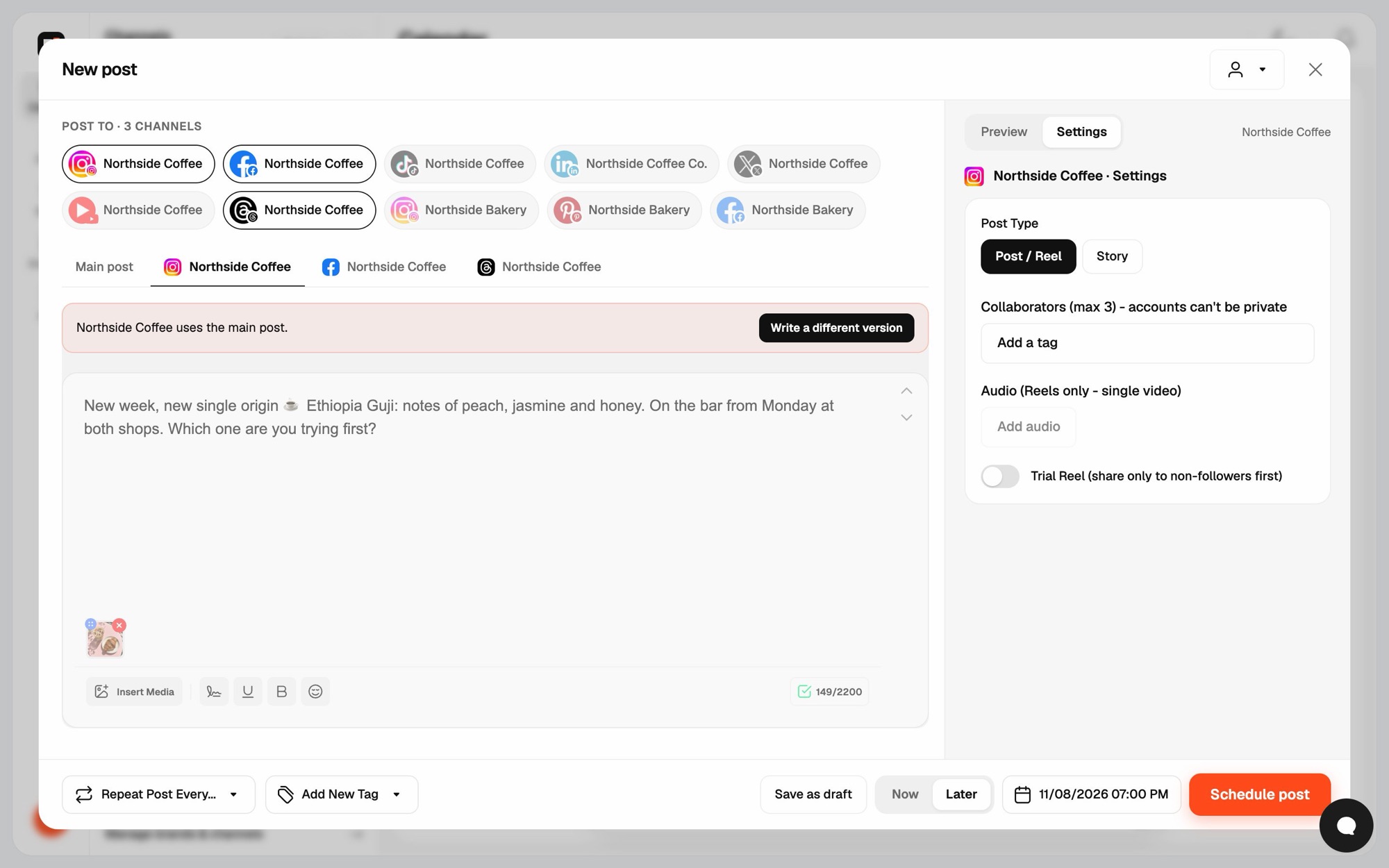
In BrokenPost, add a picture or video, pick your Instagram account, and set the post type to Story in Settings. Each picture or video goes out as its own Story at the time you pick.
Questions people ask
How long do Instagram Stories last?
24 hours. After that they go to your private archive, and you can add them to a Highlight.
Can I see who viewed my Story?
Yes. Open your Story and swipe up to see viewers, for up to 48 hours.
Can I post a Story from a computer?
Not on instagram.com. Use the app, or a scheduler that posts Stories for you.