How to post a photo on Instagram from your phone
- 1
Open Instagram and tap + at the bottom of the screen, or swipe right from your feed.
- 2
Make sure Post is selected at the bottom (not Story or Reel).
- 3
Pick a photo from your gallery, or tap the camera icon to take one.
- 4
Pinch to crop. Tap the expand arrows to switch between square and the original shape. Tap Next.
- 5
Add a filter or tap Edit for brightness, contrast and more. Tap Next.
- 6
Write your caption. Tap Tag people, Add location or Add music if you want them.
- 7
Tap Share. The post shows on your profile and in your followers' feeds.
How to post a carousel (several photos in one post)
A carousel lets people swipe through several photos or videos. Carousels often get more reach than single photos, because Instagram shows them again with the next slide.
- 1
Tap +, choose Post, then tap the select multiple icon (two stacked squares).
- 2
Tap each photo or video in the order you want them. The numbers show the order.
- 3
Tap Next. Edit each one, or the same filter for all, then write one caption for the whole post.
- 4
Tap Share.
Instagram allows up to 20 items in the app; apps that post for you, like schedulers, can send up to 10. Shoot every slide in the same shape, ideally 4:5.
How to post on Instagram from a computer
Go to instagram.com, sign in, and click Create in the left menu. Drag in photos or videos, crop, edit, write the caption and click Share. It works the same as the app, but you cannot add music on desktop.
To plan posts on a computer and have them go out on their own, use a scheduler. See how to schedule Instagram posts.
Write a caption people read
- Hook first. Only the first line or two shows before "more". Say the interesting thing there.
- One idea per post. A clear point beats a list of everything.
- End with a question or an ask: "Which one would you pick?", "Save this for later".
- 3 to 5 hashtags that describe the post. Put them at the end or in the first comment.
- Links do not work in captions. Say "link in bio" and put the link in your bio.
Instagram post sizes and limits
| Post type | Best size |
|---|---|
| Portrait (best for feed) | 1080 × 1350 px, 4:5 |
| Square | 1080 × 1080 px, 1:1 |
| Landscape | 1080 × 566 px, 1.91:1 |
| Reels and Stories | 1080 × 1920 px, 9:16 |
| What | Limit |
|---|---|
| Characters | 2,200 characters |
| Media | At least 1 picture or video, up to 10 in a carousel |
| Carousel | Up to 10 pictures or videos |
| Stories | Pictures or videos, each one becomes its own story |
| Trial Reels | 1 video only |
| Text-only posts | Not allowed |
All sizes on every app: social media image sizes.
Post on Instagram and every other app at once
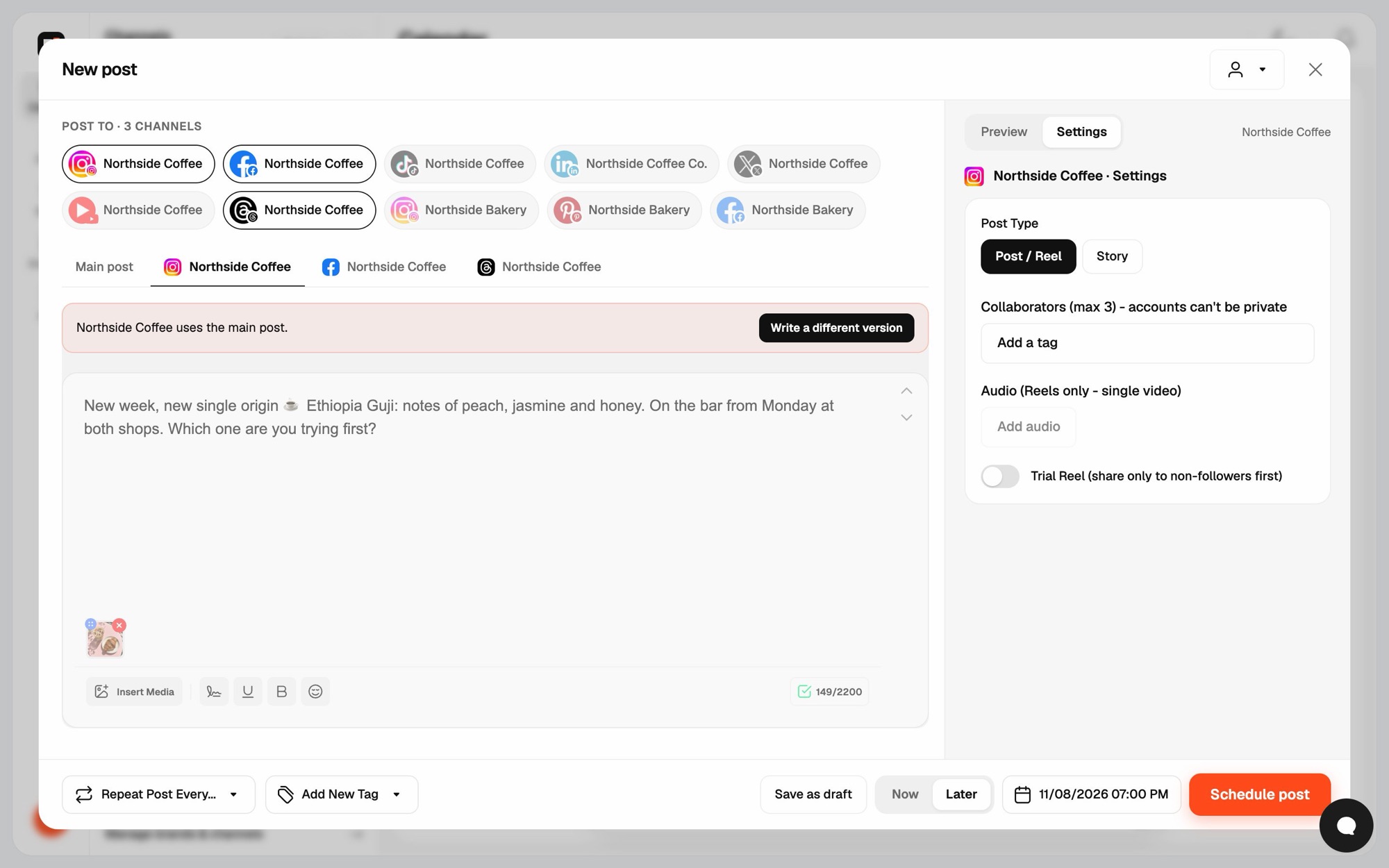
If you also post to Facebook, TikTok or Threads, write the post once in BrokenPost and send it to all of them. Pick Post / Reel or Story for Instagram in Settings, add collaborators, and schedule it.
Questions people ask
Why can I not post text only on Instagram?
Instagram is built around pictures and video, so every post needs at least one. For text, make a simple graphic, or post on Threads.
How many photos can I post at once?
Up to 20 in one carousel in the app. Schedulers can post up to 10.
Can I edit a post after sharing?
You can edit the caption, tags, location and alt text. You cannot swap the photo; you would need to delete and post again.
What is the best time to post on Instagram?
Weekday lunch and early evening are good first tests. Then check your own numbers. See [the best time to post](/en/blog/best-time-to-post-on-social-media).