Before you shoot
- Hold the phone upright. Reels are 9:16. Turn on the grid in your camera to keep things level.
- Face a window. Daylight from the front is the cheapest good light there is.
- Clean the lens. A smudged lens is the most common reason a phone video looks soft.
- Plan the first shot. Start on the result, the question or the surprise, not on "hi everyone".
- Keep text away from the edges. The bottom and right of the screen are covered by the caption and buttons.
More on filming: how to film short-form video on your phone.
How to make a Reel in the Instagram app
- 1
Open Instagram, tap + and choose Reel.
- 2
Hold the record button to film, or tap the gallery square at the bottom left to add videos you already shot.
- 3
Use the tools on the left before or between clips: length, speed, timer and layout.
- 4
Tap Next (or Edit video) to open the editor. Trim clips, reorder them, and set where each one starts.
- 5
Tap the music icon to add a song from the library, and set which part plays.
- 6
Tap Aa to add text. Tap the text to set when it appears and disappears on the timeline.
- 7
Add captions from the sticker tray so people watching with sound off can follow.
- 8
Tap Next. Write a caption, tap Edit cover to pick the frame or upload a cover, tag people and add a location.
- 9
Tap Share.
Reel specs
| What | Spec |
|---|---|
| Size | 1080 × 1920 px, 9:16 |
| Length | Up to 3 minutes |
| Cover in the grid | Cropped to 4:5 in the center, so keep faces and text there |
| Music | One song per Reel, from the Instagram library |
Ideas that work for Reels
- Before and after: the messy start, then the finished result.
- How it is made: 5 quick shots of the process, 1 second each.
- One tip: say the problem, show the fix, done in 15 seconds.
- Answer a comment: reply to a question you get often.
- Behind the scenes: what a day looks like, in short clips.
Post at a steady pace, 2 to 4 Reels a week is plenty, and see which ideas get watched to the end. Your numbers will tell you more than any trend list.
Schedule your Reels with BrokenPost
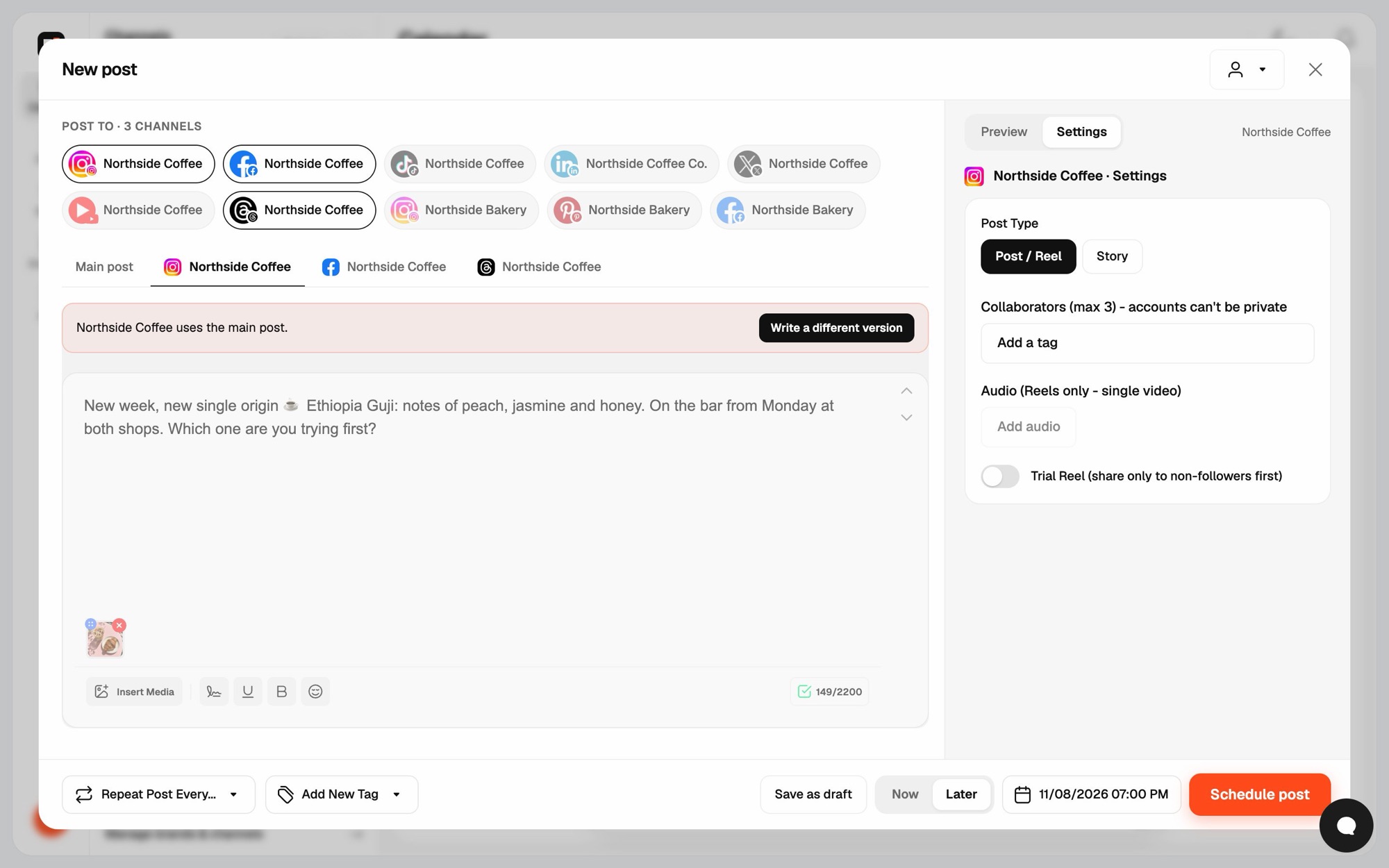
Edited your Reel in CapCut or another app? Upload it to BrokenPost, pick Instagram, set the type to Post / Reel, and choose a time. The same video can go to TikTok and YouTube Shorts in the same post.
Questions people ask
How long can an Instagram Reel be?
Up to 3 minutes when you make it in the app.
Can I post a Reel from my computer?
Yes. On instagram.com, click Create and add a video; it is posted as a Reel. Music has to be added in the app.
Why does my Reel look blurry?
Usually low light, a dirty lens, or a video that was squeezed by another app before upload. Export at 1080 × 1920 and upload on Wi-Fi.
Can I schedule Reels?
Yes, in the Instagram app under More options, or with a scheduler like BrokenPost.