How to post on Threads
- 1
Open Threads and tap the new thread icon (the pencil, or + on some phones).
- 2
Write your post. Tap the picture icon to add photos or a video.
- 3
Tap Add a topic to tag one topic.
- 4
Tap Add to thread to write a second part, if you need it.
- 5
Tap Post.
On a computer, go to threads.com, sign in and use the post box at the top.
What works on Threads
- Conversation starters: a question or an opinion people want to answer.
- Reply to replies. Threads shows active conversations to more people.
- Photos: several make a carousel, good for a mini photo dump.
- Share to Instagram: your post can be shared to your Instagram Story.
Threads limits
| What | Limit |
|---|---|
| Characters | 500 characters |
| Media | Pictures and videos, several make a carousel |
| Carousel | Several pictures or videos in one post |
| Replies | Yes, extra parts are posted as replies |
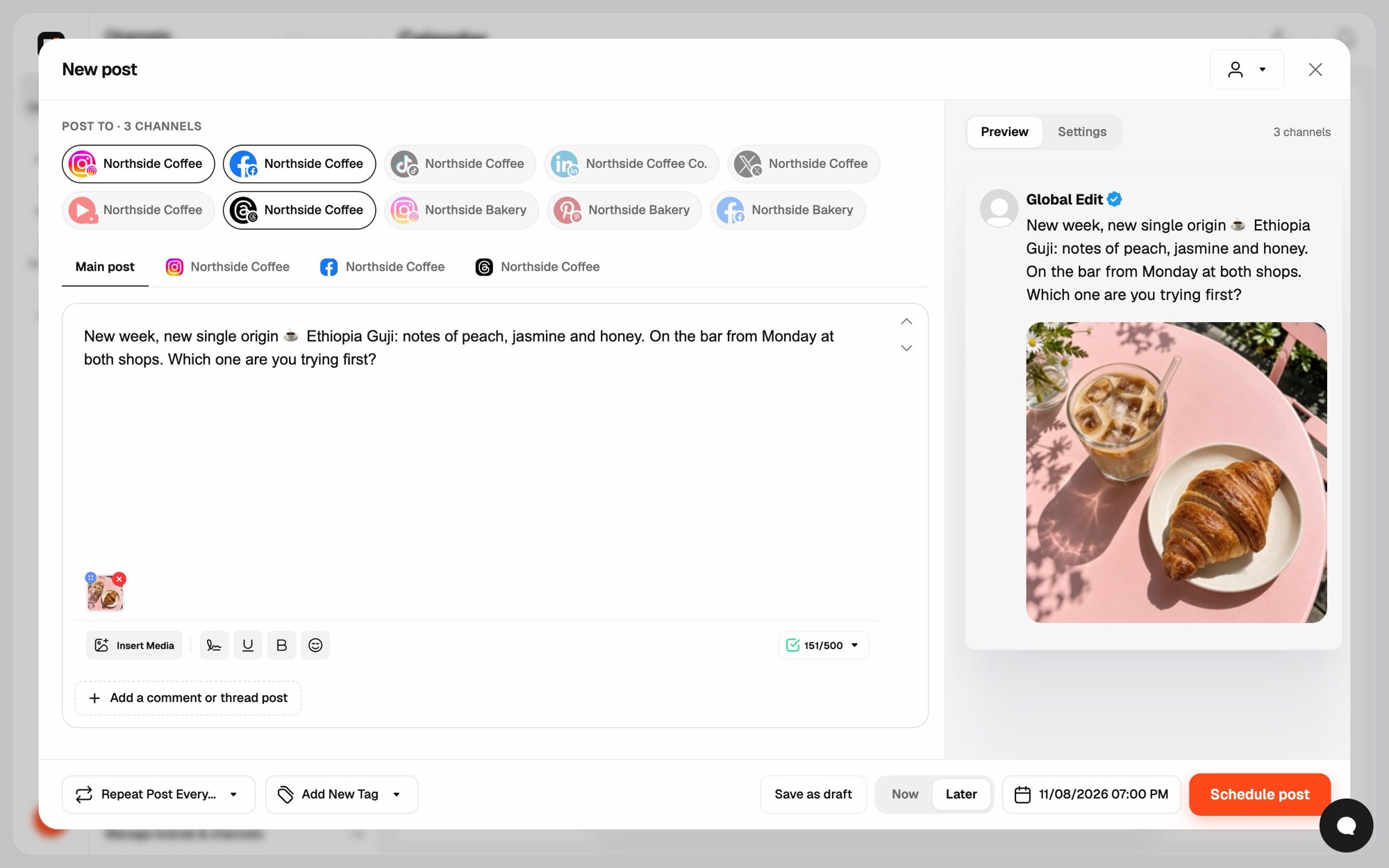
Schedule Threads with BrokenPost
Pick Threads with Instagram, X or Bluesky in one post, shorten the text where needed with Write a different version, and schedule.
Questions people ask
Do I need Instagram to use Threads?
You sign in with an Instagram account.
How long can a Threads post be?
Up to 500 characters per post. Add more parts as replies.