Add a channel
- 1
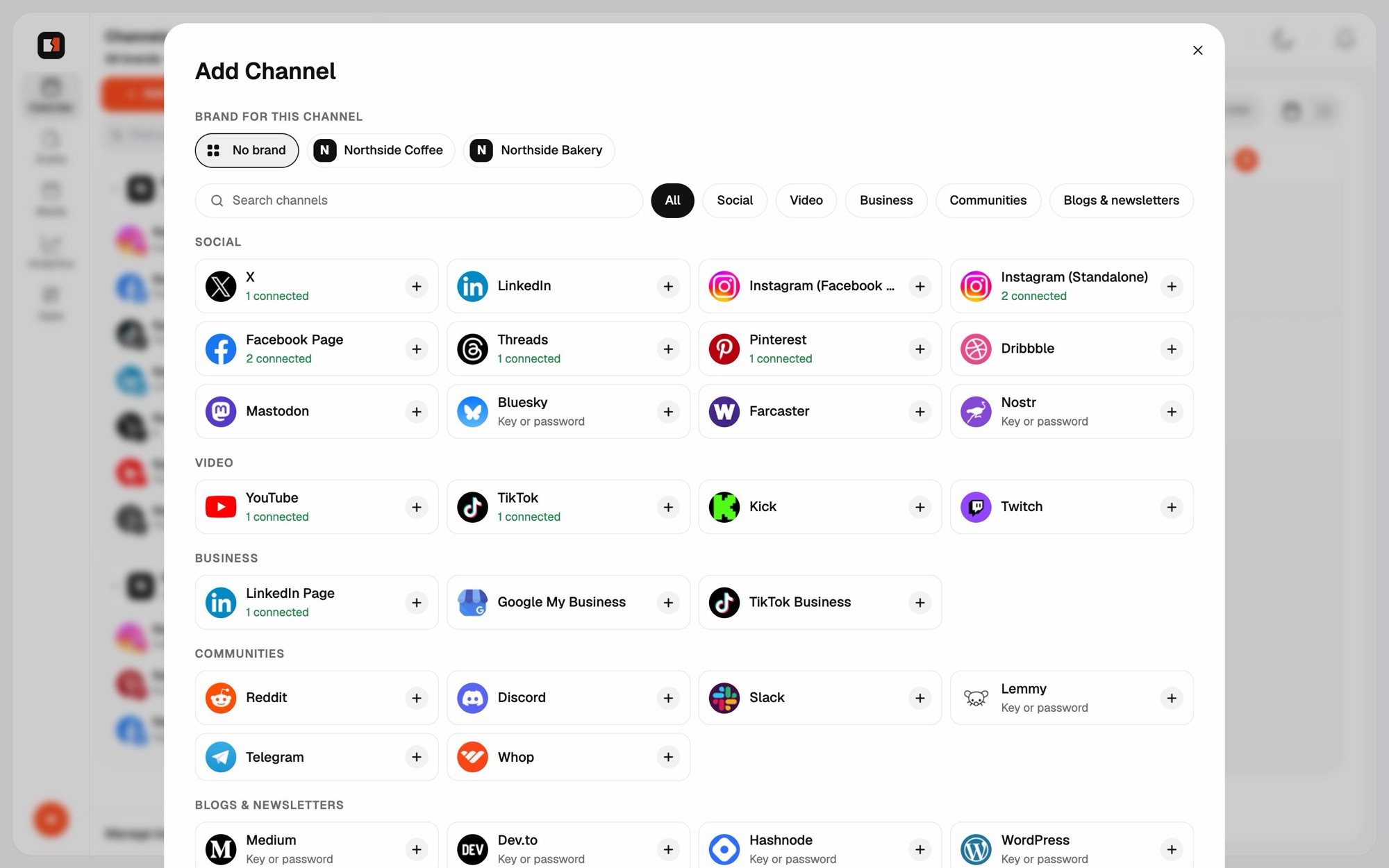
Click Add Channel in the channels panel, or on the Brands & channels page.
- 2
Choose which brand the channel belongs to at the top, or leave it on No brand.
- 3
Click the app. You are sent to its sign-in page.
- 4
Sign in with the account you want to post as, and allow every permission it asks for. Unticking some can stop posting later.
- 5
If the app asks which page or profile to use (Facebook, LinkedIn Page, YouTube), pick it. You return to BrokenPost with the channel added.
What each app needs
| App | What to connect |
|---|---|
| A business or creator account, through its Facebook Page or with Instagram login. Switch for free in the Instagram app. | |
| A Facebook Page you manage. Personal profiles cannot be posted to by any app. | |
| Your personal profile (LinkedIn) or a company page you admin (LinkedIn Page). | |
| TikTok | Any TikTok account. TikTok Business is listed on its own for business accounts. |
| YouTube | A YouTube channel on your Google account. |
| X | Your X account. X charges for its API, so it is on paid plans. |
| Bluesky, Lemmy, Hashnode and others | An app password or key, marked Key or password under the app name. |
Every app has its own page with limits and tips: all channels.
Brands: keep each business or client apart
A brand groups the channels of one business, product or client. The calendar, drafts and analytics can all show one brand at a time.
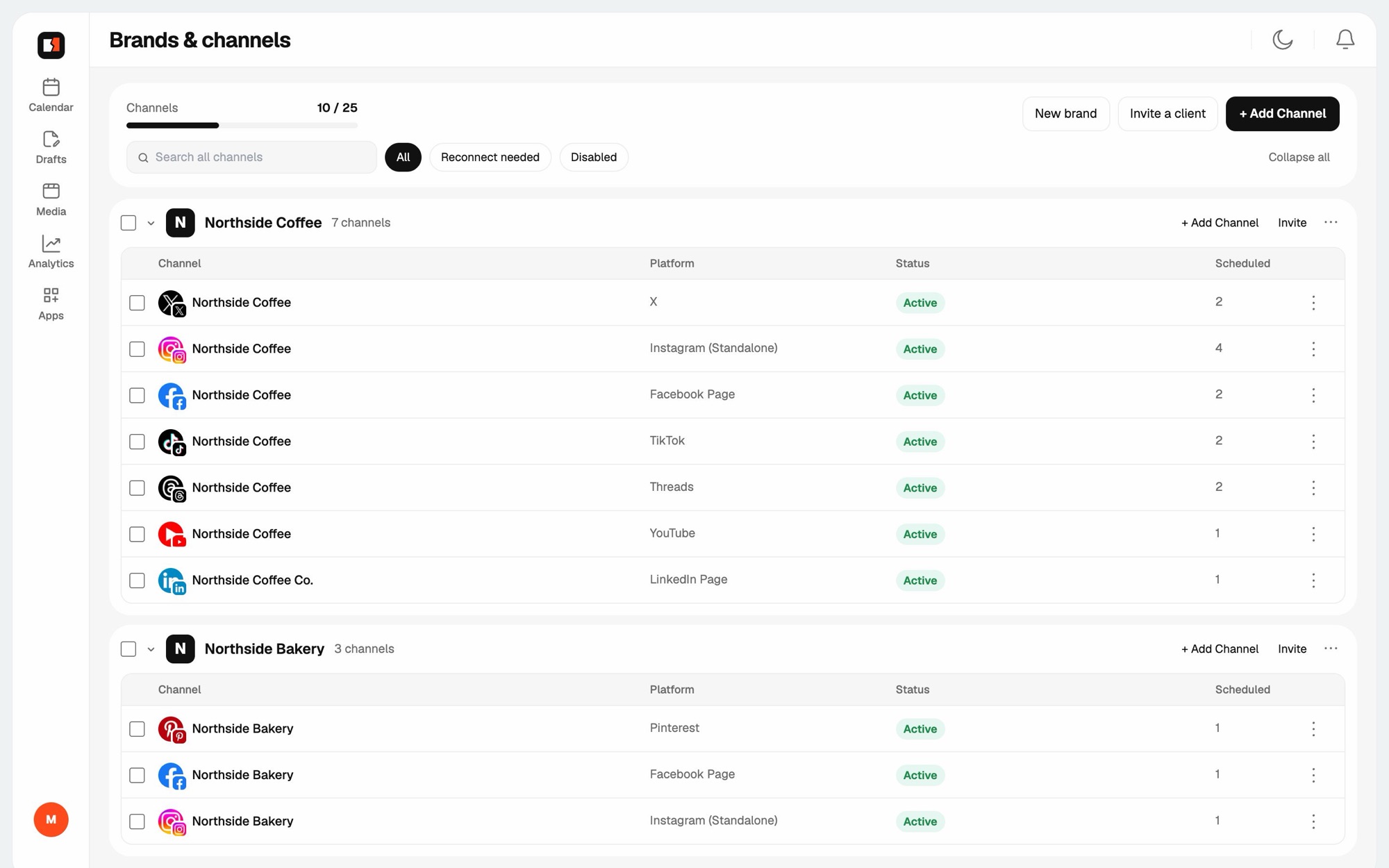
Click New brand to create one, then add channels to it. See brands and team.
Reconnect a channel
Apps sign BrokenPost out now and then: when you change your password, when a token expires, or when you remove access in the app. The channel then shows Reconnect needed in the panel and on Brands & channels.
- 1
Open Brands & channels and filter by Reconnect needed.
- 2
Click Reconnect next to the channel and sign in again with the same account.
- 3
Done. Posts already on the calendar stay in place and go out on time.
Questions people ask
Is it safe to connect my accounts?
BrokenPost uses each app's official sign-in. It never sees your password for apps that use sign-in, and you can remove access at any time.
How many channels can I connect?
The Free plan includes 2. Pro includes 25. See [pricing](/en/pricing).
Why can I not connect my personal Facebook profile?
Facebook only lets apps post to Pages, not personal profiles. Create a Page for your business and connect that.
Do I lose scheduled posts when I reconnect?
No. Reconnecting keeps every scheduled post.