Open the editor and pick channels
Click Create Post on the calendar, or click an empty slot to start a post at that time.
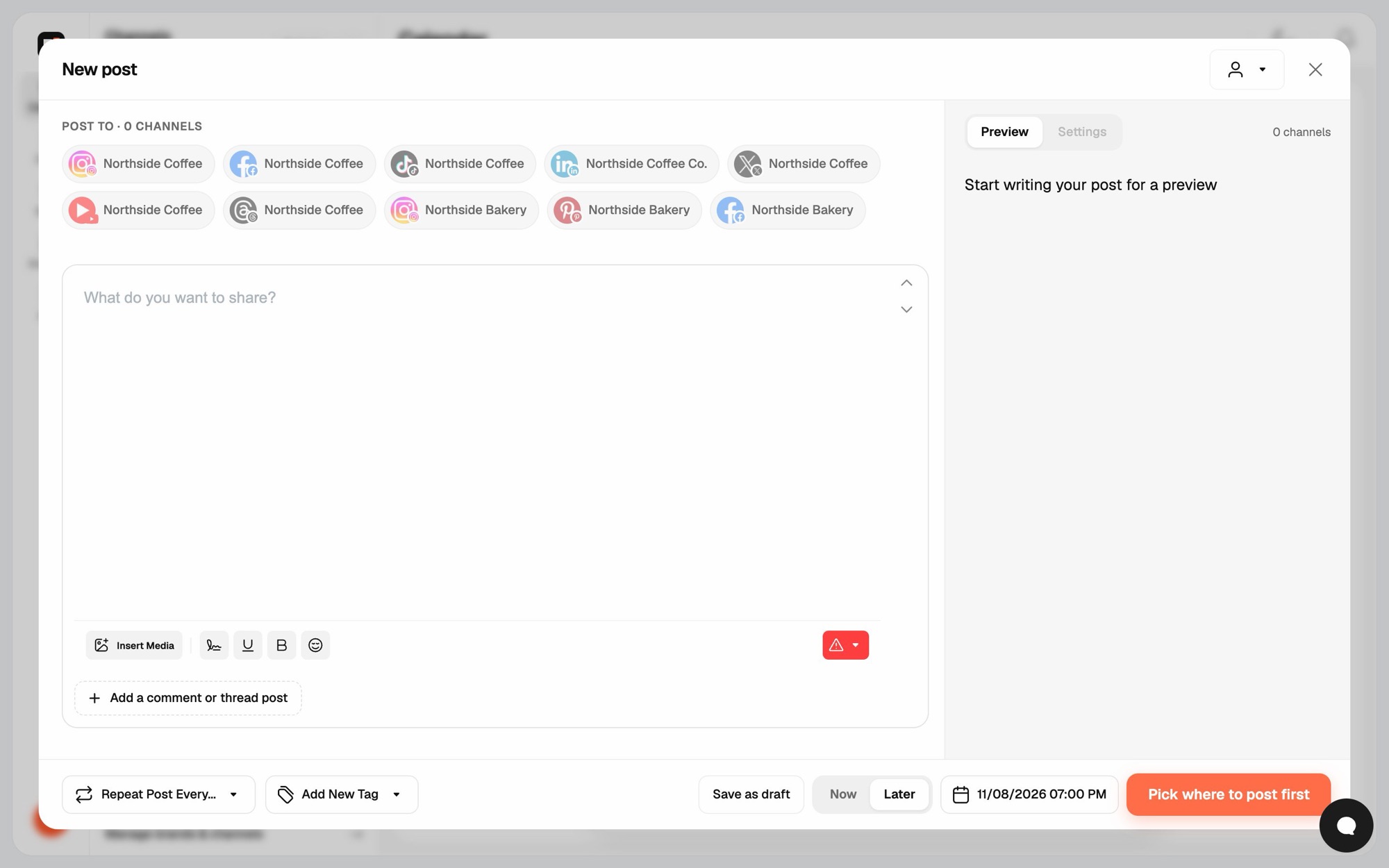
Click the channels this post should go to. Picked ones get a dark outline, and the counter at the top shows how many you picked. Channels from different brands can go in the same post.
Write the post and add media
- 1
Write in the main post box. Use the buttons under it for bold, underline, emoji and your saved signature.
- 2
Watch the character counter. It turns red when the text is too long for one of the picked apps.
- 3
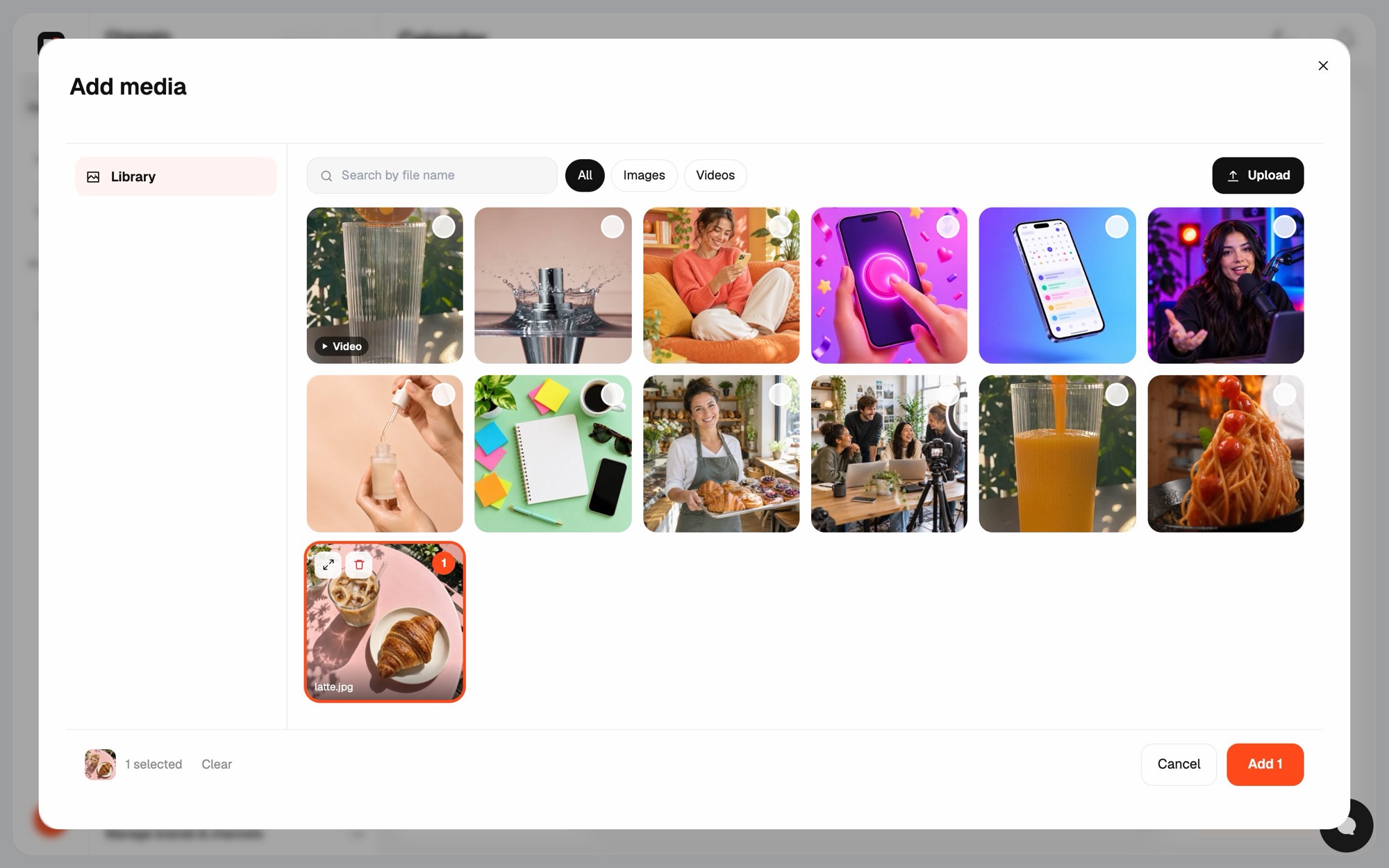
Click Insert Media to open your library. Pick pictures or videos, then click Add.
- 4
Drag thumbnails to change their order. For a carousel, the first one is the cover.
Change the post for one app
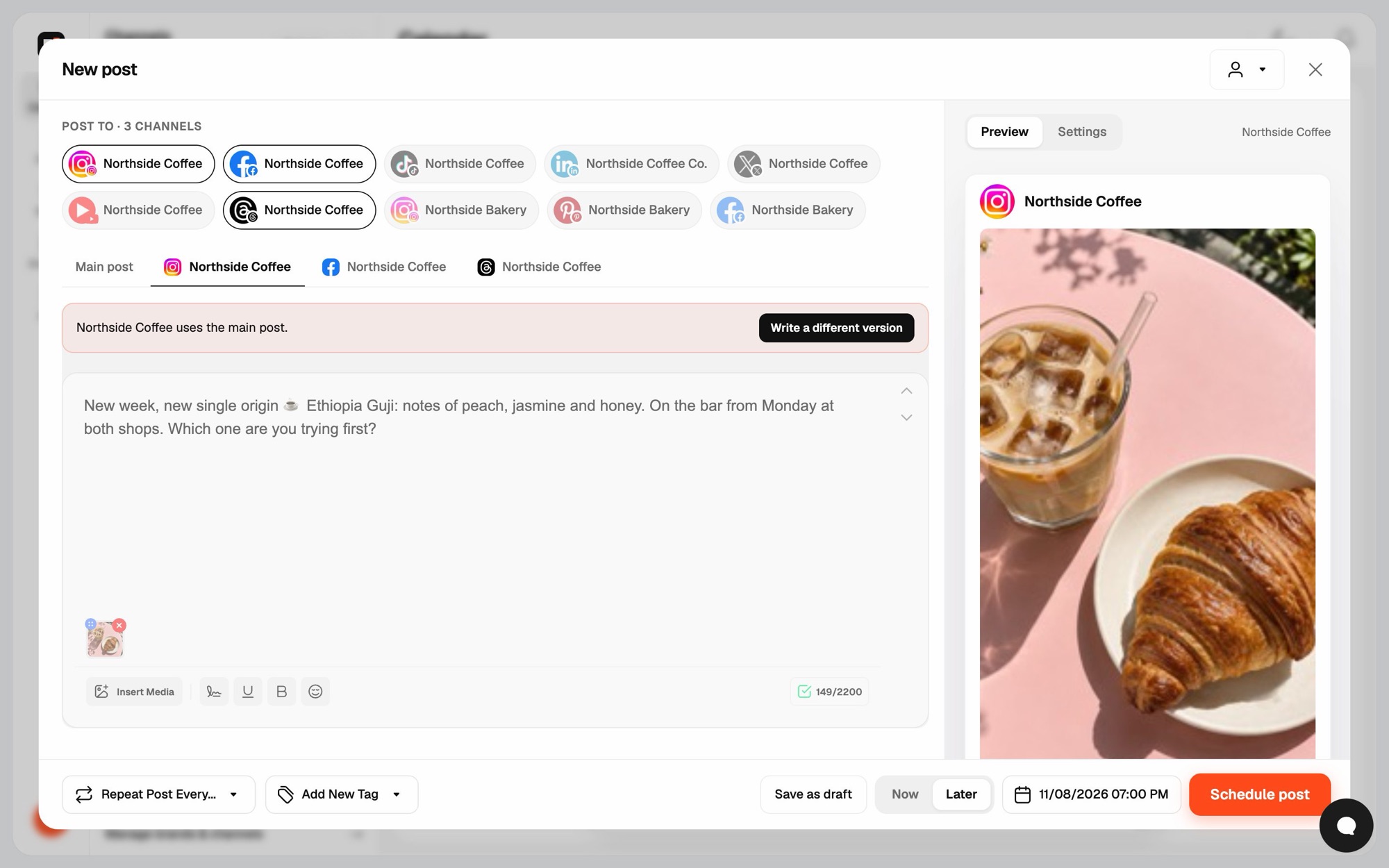
Each picked channel has a tab next to Main post. By default it uses the main post. Click Write a different version to change the text or media for that channel only: a short line for X, a longer story for LinkedIn, more hashtags for Instagram.
Set app options in Settings
Open a channel tab, then Settings on the right. Each app has its own options:
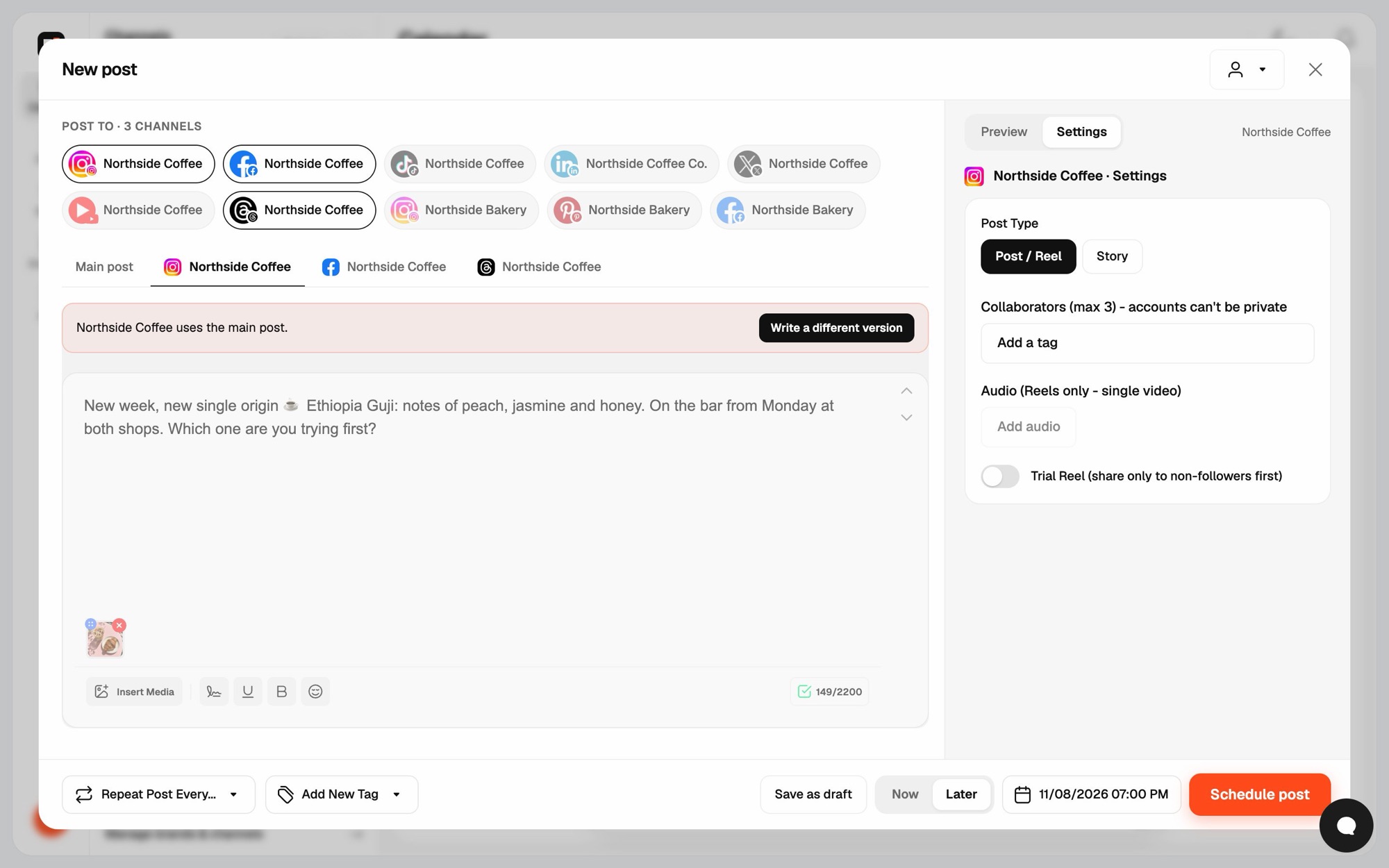
- Instagram: Post / Reel or Story, up to 3 collaborators, audio for single video Reels, Trial Reel.
- TikTok: who can see it, comments, duets and stitches, and whether it goes out as a post or to your inbox as a draft.
- YouTube: title, who can see it (public, unlisted or private), made for kids, tags and a thumbnail.
- Pinterest: the board, title and link.
A channel shows Ready when its settings are filled in. The editor will not schedule while one is missing.
Schedule, post now or save as draft
- Later, then the date: pick when it goes out, and click Schedule post.
- Now: publish straight away.
- Save as draft: keep it in Drafts without a time.
- Repeat Post Every...: repost on a cycle, for evergreen posts like opening hours or a weekly offer.
- Add New Tag: color-code posts, like "promo" or "client review", to find them on the calendar.
Questions people ask
Can I edit a scheduled post?
Yes. Click it on the calendar, change it, and save. You can edit it any time before it goes out.
Can I post the same thing to two brands?
Yes. Pick channels from both brands in one post.
What happens if a post fails?
You get an email, and the post shows the reason on your calendar. Fix it and post again.
Can I add a first comment?
Yes. Click **Add a comment or thread post** under the editor.